What Is Data-Driven Design? Moving Beyond Intuition in 2026


Move beyond intuition. Learn what data-driven design is, how to combine qualitative and quantitative insights, and see real-world examples of successful implementation.
"I think users will like this color." "I believe this layout feels more intuitive." These statements represent the old guard of design decision-making — a world governed by gut feelings and personal preferences. But in 2026, successful design teams have moved beyond the "I think" era into the "I know" paradigm. What is data-driven design? It's the fundamental shift from designing based on assumptions to making decisions grounded in evidence, user behavior, and measurable outcomes. Design is no longer purely art — it's science, informed by rigorous testing and validated by real-world performance.
The stakes have never been higher. A single design decision can mean millions in revenue gained or lost. In this landscape, intuition alone is insufficient. The question isn't whether to adopt data-driven design — it's how quickly you can implement it before competitors leave you behind.
Quick Summary (Key Takeaways)

Data-Driven Design Definition: A decision-making process where design choices are based on user data, behavior analytics, and measurable outcomes rather than intuition or assumptions.
Key Components:
- Quantitative Data: Analytics and complex numbers showing what users actually do (click-through rates, conversion rates, time on page)
- Qualitative Data: User interviews, session recordings, and feedback revealing why users behave the way they do
- Iterative Testing: Continuous experimentation through A/B testing for UX, usability studies, and hypothesis validation
Why It Matters:
- Minimizes Risk: Validates design decisions before full implementation
- Proves ROI: Connects design changes directly to business outcomes
- Solves Real Problems: Addresses actual user pain points rather than imagined issues
Real-World Impact:
- Netflix optimizes thumbnails through continuous testing, significantly impacting viewing decisions
- Amazon's checkout optimization has generated billions in additional revenue
- Spotify's personalization drives 31% of all listening through data-driven design
The Core Definition: What Does "Data-Driven" Actually Mean?
The term "data-driven design" gets thrown around liberally, but what does it genuinely mean? At its core, data-driven design is a methodology in which every significant design decision is informed, validated, or inspired by actual user data rather than designer intuition or stakeholder opinions.
Important distinctions exist within the data-design spectrum. Data-driven represents the most rigorous approach: design decisions are made primarily based on data, with human judgment serving to interpret insights. This differs from data-informed vs data-driven approaches, where data-informed design uses data as one input among many, including experience and creativity.
Then there's "data-aware" design — the minimum viable approach in which teams acknowledge that data exists but don't systematically incorporate it into decision-making. Understanding these distinctions matters because claiming to be data-driven while only occasionally glancing at analytics undermines the methodology's power.
The quantitative vs qualitative data in design balance is crucial here. Purely quantitative approaches can tell you users are leaving a page, but not why they're frustrated. Purely qualitative methods capture rich perspectives but may not represent broader patterns. Effective data-driven design synthesizes both, using numbers to identify problems and conversations to understand causes.
The Two Pillars of Data: Quantitative vs. Qualitative

Successful data-driven design stands on two distinct but complementary pillars. Understanding quantitative vs qualitative data in design and knowing when to deploy each type transforms raw information into actionable insights.
Quantitative Data (The Hard Numbers)
Quantitative data represents the measurable, numerical evidence of user behavior. This is the "what" of user behavior analytics - the objective record of actions users take when interacting with your product. Through analytics platforms, you can track countless metrics: how many users visited a page, what percentage clicked a button, how long they stayed, and which paths they took.
The power of quantitative data lies in its scale and objectivity. When Google Analytics shows that 73% of users abandon their cart on a specific page, you're seeing actual behavior across thousands of interactions. UX KPIs and metrics, such as conversion rates, bounce rates, and time-on-task, provide concrete benchmarks for measuring design performance.
Heatmap analysis tools like Hotjar or Crazy Egg add a visual dimension to quantitative data, showing where users click, how far they scroll, and which elements attract attention. When a heatmap reveals users consistently clicking a non-interactive element, you've identified a clear design problem through quantitative evidence.
However, quantitative data has limitations. Numbers tell you *what* is happening, but remain silent on *why*. A 60% drop-off rate on your checkout page is alarming, but the metric alone doesn't explain whether users are confused, concerned about security, or simply comparison shopping.
Qualitative Data (The User Voice)
Qualitative data captures the human story behind the numbers. Through user interviews, usability testing, session recordings, and surveys, you access the "why" that quantitative metrics cannot provide. This data is messier and more complicated to aggregate — but it's irreplaceable for understanding user motivations and frustrations.
Session recordings show actual users navigating your interface in real-time, revealing confusion patterns that analytics alone might miss. When you watch a user hover over a button repeatedly without clicking, you're witnessing hesitation that wouldn't appear in standard metrics. These qualitative observations often yield the most valuable opportunities for hypothesis testing.
User interviews provide direct access to user thinking. Ask someone why they didn't complete a purchase, and you might discover concerns about return policies or trustworthiness — issues you can address through design. The richness of qualitative feedback often sparks creative solutions that data alone wouldn't suggest.
The challenge with qualitative data involves scale and potential bias in data interpretation. Five user interviews provide deep insights but may not represent your entire user base. Skilled researchers mitigate this by carefully selecting participants and looking for patterns across multiple sessions.
The most effective data-driven design approaches combine both pillars. Use quantitative vs qualitative data in design together: let quantitative metrics identify where problems exist and measure improvement, while qualitative research explains why problems occur and suggests potential solutions.
The Data-Driven Design Process (Step-by-Step)
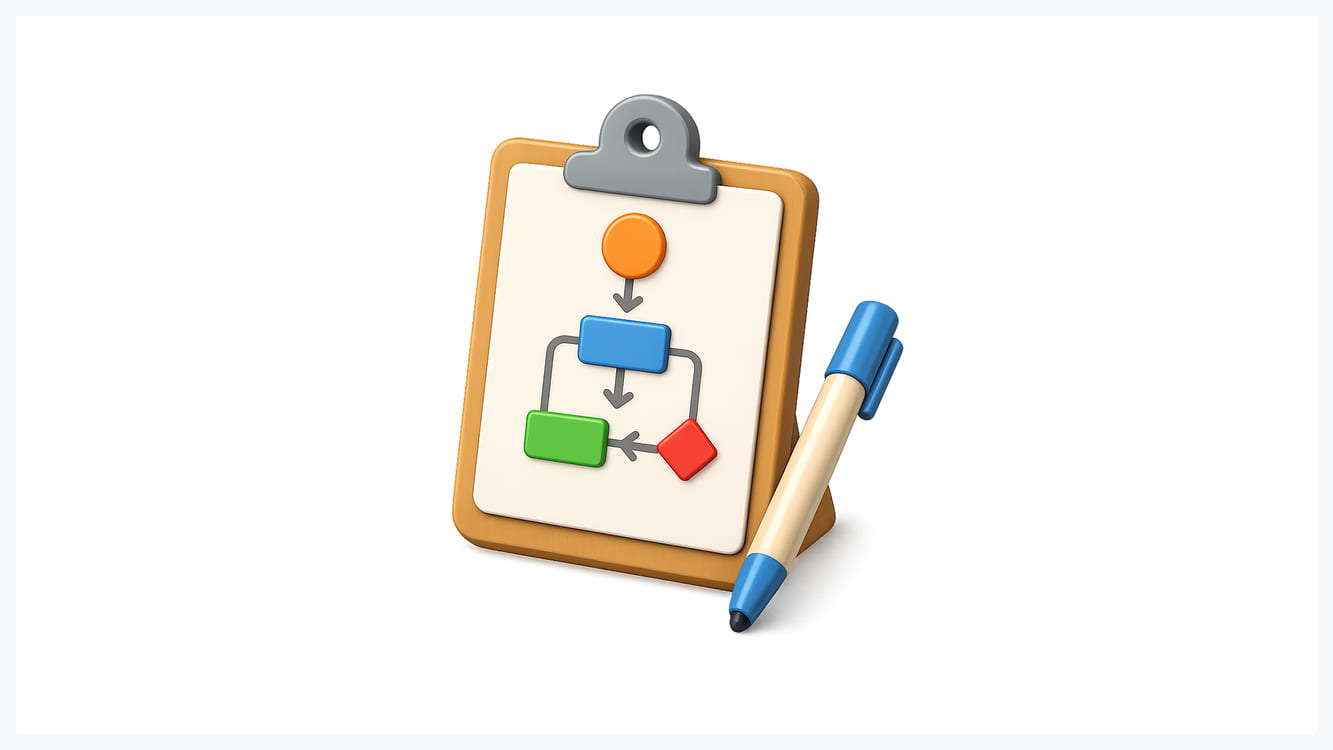
Understanding what a data-driven design conceptually differs from implementing it systematically. The following process provides a framework for making evidence-based design decisions.
1. Formulate a Hypothesis
Every data-driven design initiative begins with a testable hypothesis. This isn't a vague aspiration like "improve the user experience" — it's a specific, falsifiable statement: "If we reduce the checkout form from 8 fields to 4 fields, then completion rate will increase by at least 15%."
Strong hypotheses for design hypothesis testing include three elements: the specific change you'll make, the metric you expect to improve, and the magnitude of improvement you anticipate. This structure forces clarity about what you're testing and how you'll measure success.
Hypotheses should emerge from existing data or observed problems. User behavior analytics revealed high abandonment at a specific step, or usability testing showed consistent confusion. Your hypothesis proposes a solution to an identified problem, not a random experiment.
2. Choose the Right Metrics (KPIs)
Selecting appropriate UX KPIs and metrics determines whether you can actually validate your hypothesis. Metrics must be specific, measurable, and directly connected to both user experience and business outcomes. Common data-driven design examples metrics include conversion rate, task completion time, error rate, and customer satisfaction scores.
Avoid vanity metrics that feel good but don't indicate real success. Page views might increase while actual engagement decreases. Choose metrics that genuinely reflect whether users can accomplish their goals efficiently and whether your design supports business objectives.
For UX A/B testing, establish statistical significance thresholds before testing begins. How much improvement do you need to see, and how confident do you need to be that results aren't due to chance? Setting these parameters prevents bias in data interpretation, where you stop testing when results look favorable.
3. Run the Experiment (A/B or Usability Test)
With hypothesis and metrics defined, execute your test. A/B testing for UX compares two versions — your current design (control) and proposed change (variant) — by showing each to different user segments and measuring performance differences. This approach works well for testing specific changes, such as button colors or layout modifications.
Usability testing involves observing users as they attempt tasks while thinking aloud about their experience. This qualitative approach excels at identifying *why* designs succeed or fail, uncovering unexpected usability issues, and validating assumptions about user mental models.
Choose a testing methodology based on what you're trying to learn. Quantitative vs qualitative data in design testing means A/B tests answer "which performs better?" while usability studies answer "why does this confuse users?" Often, combining approaches yields the best results.
4. Analyze and Iterate
Results are in — now what? Analysis goes beyond simply checking whether your variant won or lost. Examine the data for unexpected patterns, segment performance by user type, and consider whether the results align with your hypothesis.
If the test succeeded, implement the winning variant and document learnings for future projects. But also ask *why* it worked. Does this success suggest broader principles applicable to other design challenges?
If the test failed, resist defensive reactions. Failed tests aren't failed projects — they're successful learning experiences that prevent you from implementing ineffective changes at scale. Analyze why the results didn't match expectations.
Standard Tools for Data-Driven Designers
Implementing data-driven design requires the right technology stack. Modern designers have access to powerful tools, making data collection and analysis more accessible than ever.
- Google Analytics 4 remains the foundation for user behavior analytics, tracking how users find your site, what they do when they arrive, and where they exit. GA4's event-based model provides flexibility in monitoring custom interactions specific to your design.
- Hotjar combines heatmap analysis, session recordings, and user feedback tools into a single platform. Heatmaps show where users click, move, and scroll, revealing which design elements attract attention. Session recordings let you watch actual users navigate your interface, exposing usability issues that metrics alone might miss.
- Optimizely and VWO specialize in A/B testing for UX, providing visual editors for creating test variants, traffic allocation systems, and statistical analysis to determine which variant performs better. These platforms make testing accessible to designers without requiring extensive technical implementation.
- Amplitude and Mixpanel offer advanced UX KPIs and metrics tracking with powerful segmentation and cohort analysis. These tools excel at understanding user journeys across multiple sessions and connecting specific design interactions to long-term outcomes.
- UserTesting and Maze facilitate remote usability testing and design hypothesis testing, allowing you to recruit participants, run studies, and collect both quantitative task metrics and qualitative feedback.
The best tool stack combines quantitative vs qualitative data in design capabilities. Use analytics and A/B testing to measure what happens, complemented by heatmaps and user testing to reveal why.
Real-World Examples of Data-Driven Success

Understanding data-driven design examples through concrete cases illustrates the methodology's transformative potential.
- Netflix continuously tests thumbnail images for shows and movies, understanding that artwork significantly influences viewing decisions. Through systematic A/B testing for UX, they've discovered that personalized thumbnails — showing different images to different users based on viewing history — increase engagement substantially.
- Amazon famously optimizes every aspect of its checkout process through relentless testing. Small changes — button placement, color choices, form field ordering — undergo rigorous design hypothesis testing before implementation. One well-known example involved removing the requirement for account creation before purchase, allegedly generating hundreds of millions in additional revenue.
- Spotify uses user behavior analytics to power its recommendation algorithms and interface design. The "Discover Weekly" playlist, generated from data analysis of listening patterns, accounts for 31% of total listening time — a massive impact stemming from data-driven design decisions that surface personalized content.
- Dropbox famously improved its signup conversion rate by 10% through data-driven design focused on its homepage. By testing different value propositions and call-to-action placements, they identified combinations that most effectively communicated their product's value. For a company of Dropbox's scale, a 10% increase in conversion rates translates into millions of additional users.
These data-driven design examples share common patterns: clear UX KPIs and metrics, systematic testing rather than one-off experiments, willingness to implement counterintuitive findings, and understanding that small changes can produce outsized business impact.
The Trap: Confirmation Bias and "Data Obsession"

Despite its power, data-driven design contains pitfalls that can undermine decision-making. The most insidious is bias in data interpretation — our tendency to find patterns supporting pre-existing beliefs while dismissing contradictory evidence.
Confirmation bias manifests when designers run tests hoping to validate preferred solutions rather than genuinely seeking the truth. You might continue testing until the results support your preferred design, or interpret ambiguous data in a way that favors your preferred design. This isn't intentional dishonesty — it's human nature requiring active countermeasures.
Combat bias in data interpretation through pre-commitment to analysis criteria. Before testing, document what results would cause you to implement, iterate, or abandon each option. When results surprise you, resist the urge to explain away unexpected findings — they often contain the most valuable insights.
"Data obsession" represents the opposite problem: paralysis through over-reliance on data. Some teams test everything exhaustively, afraid to make any decision without perfect statistical confidence. Others focus obsessively on UX KPIs and metrics while ignoring qualitative signals about user frustration or delight.
Remember that data-informed vs data-driven means data should inform decisions, not make them. Numbers require human interpretation, context, and judgment. A metric might show improvement while user sentiment declines.
The quantitative vs qualitative data in design balance matters here, too. Numbers without context mislead. A high task completion rate means nothing if users hate the experience. Complement metrics with user research to provide the "why" behind the "what."
Finally, recognize that not everything meaningful is measurable. Brand perception and emotional connection resist simple quantification. Data-driven design doesn't mean ignoring these factors — it means being thoughtful about when data should drive decisions and when other considerations take priority.
Conclusion: Balancing Art and Science

The question of what is data-driven design ultimately leads to a more nuanced answer than "just follow the data." It's about establishing a framework where evidence informs creativity, where testing validates intuition, and where design decisions connect demonstrably to user needs and business outcomes.
The data-driven design definition isn't about replacing designers with algorithms or creativity with spreadsheets. It's about channeling human creativity toward solving real problems, validated by evidence, rather than imagined ones based on assumptions. Data is a tool — potent when wielded skillfully, but requiring human judgment and strategic thinking to apply effectively.
The most successful design teams in 2026 master the quantitative vs qualitative data in design balance, using analytics to identify opportunities and measure impact while employing user research to understand motivations and generate innovative solutions. They implement rigorous A/B testing for UX while maintaining healthy skepticism about bias in data interpretation. They track UX KPIs and metrics without losing sight of unmeasurable factors like brand integrity and user delight.
The shift from "I think" to "I know" transforms not just individual design decisions but entire organizational cultures, creating environments where evidence triumphs over opinion and user needs drive product direction. The future of design belongs to those who can balance art and science, intuition and evidence, creativity and measurement. Master this balance, and you'll create experiences that are both beautiful and effective — designs that users love and data proves actually work.

.svg)

Related Articles Prompted by Glow





















Get weekly glow prompts—
insights from the frontline of product design
Check your inbox for future updates.

No spam.
Just sharp insights that make you better at design & AI.
Want results like this? Book a call
Let's talk through your product in 20 minutes — no briefs, no fluff. Just a real conversation.